The open-source Kubernetes workbench

v0.18.0 public release

Your clusters.
In clear view.

From a restarting pod to the next useful clue. Explore resources, follow the evidence, and work across clusters from one native desktop workspace.

macOS · Windows · Linux No Lumen account

01Your context stays visible. Cluster. Namespace. Resource.

02Evidence leads the way. Logs. Events. Relationships.

03You stay in control. Your kubeconfig. Your RBAC.

A real workflow, from the application

A restart is a symptom.
Find the story behind it.

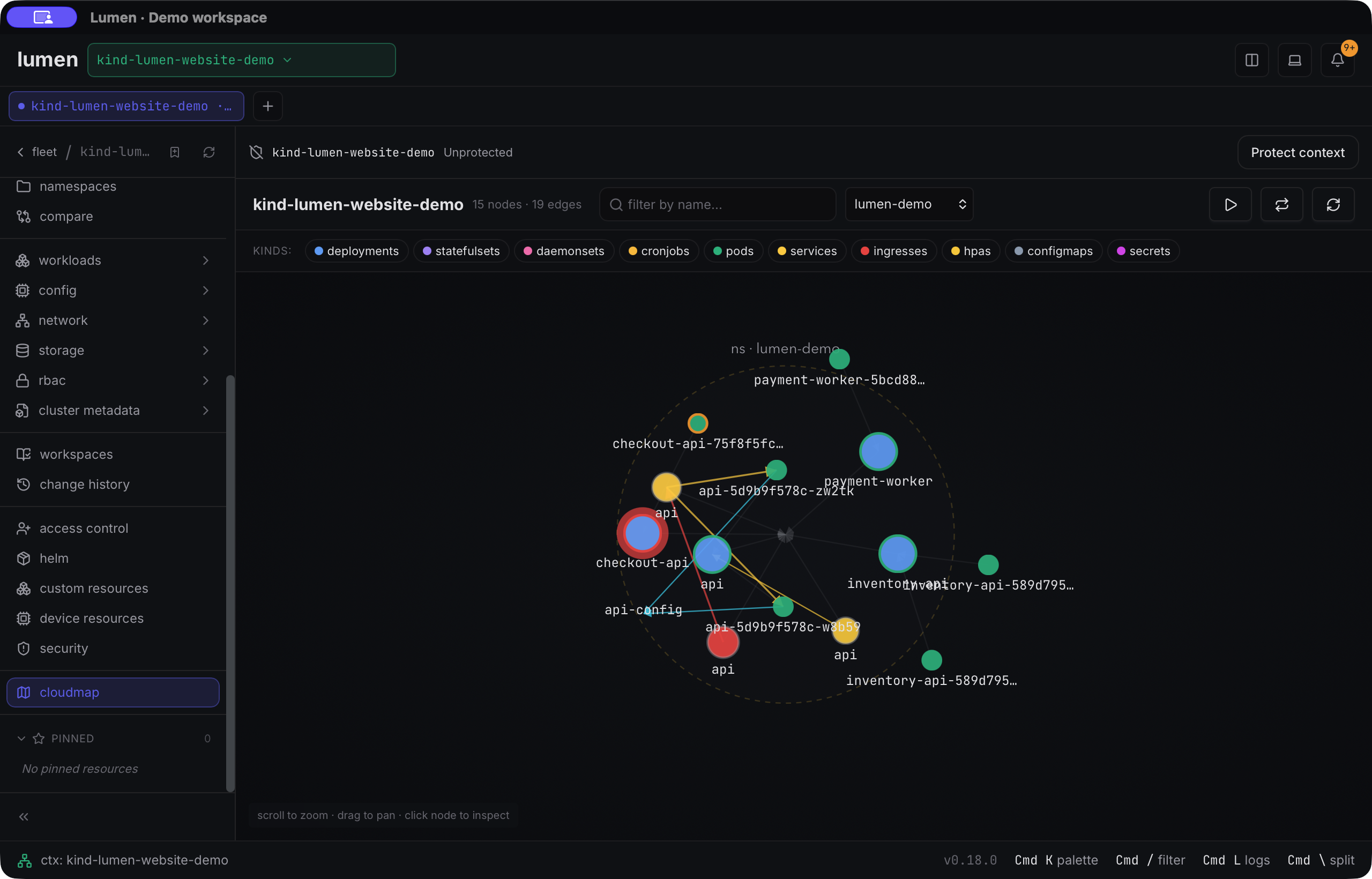
Keep the pod, its container and its recent history together. Move from an incident to the evidence that helps you decide what to check next.

  1. 01

    Find the resource.

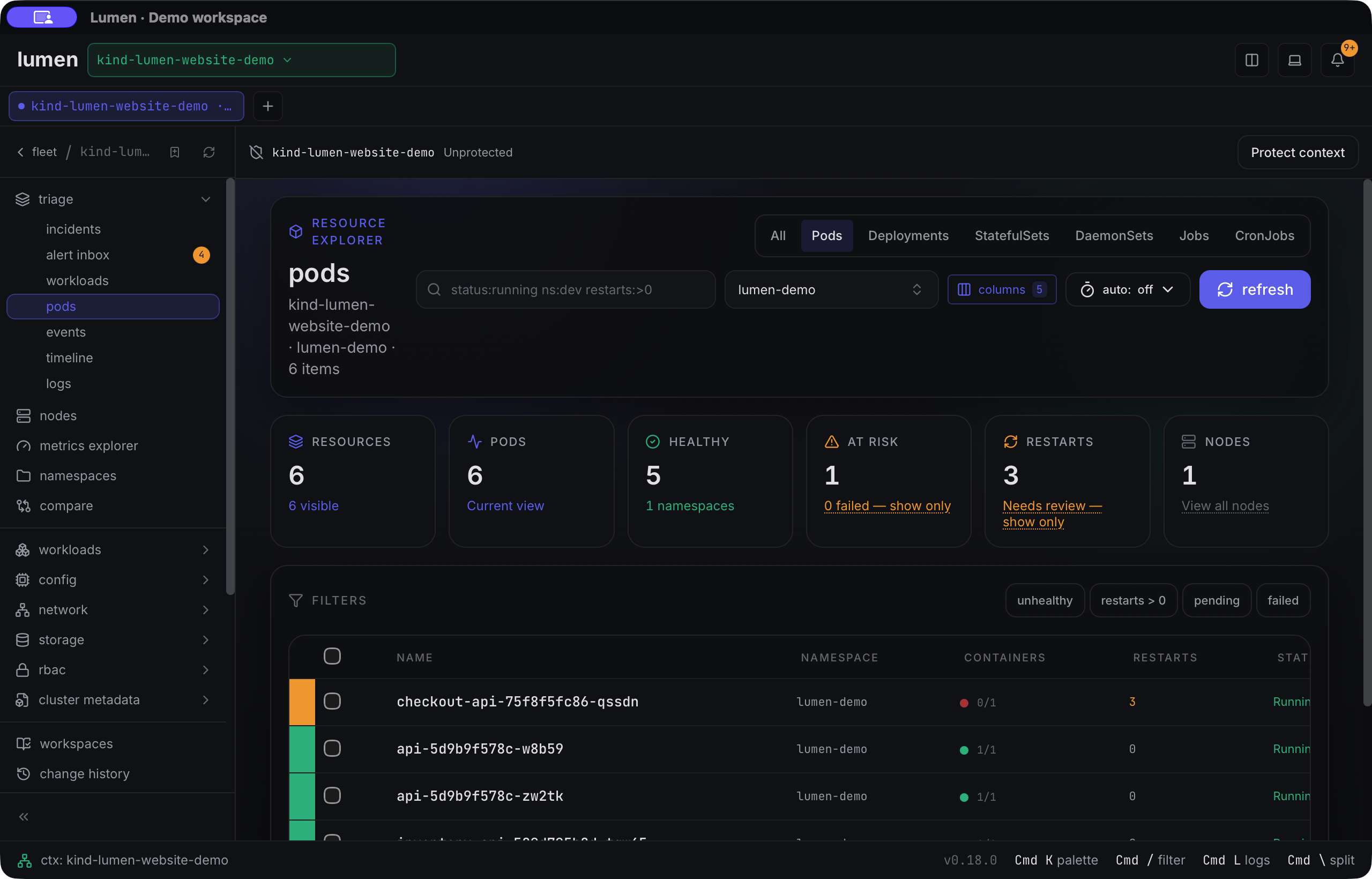
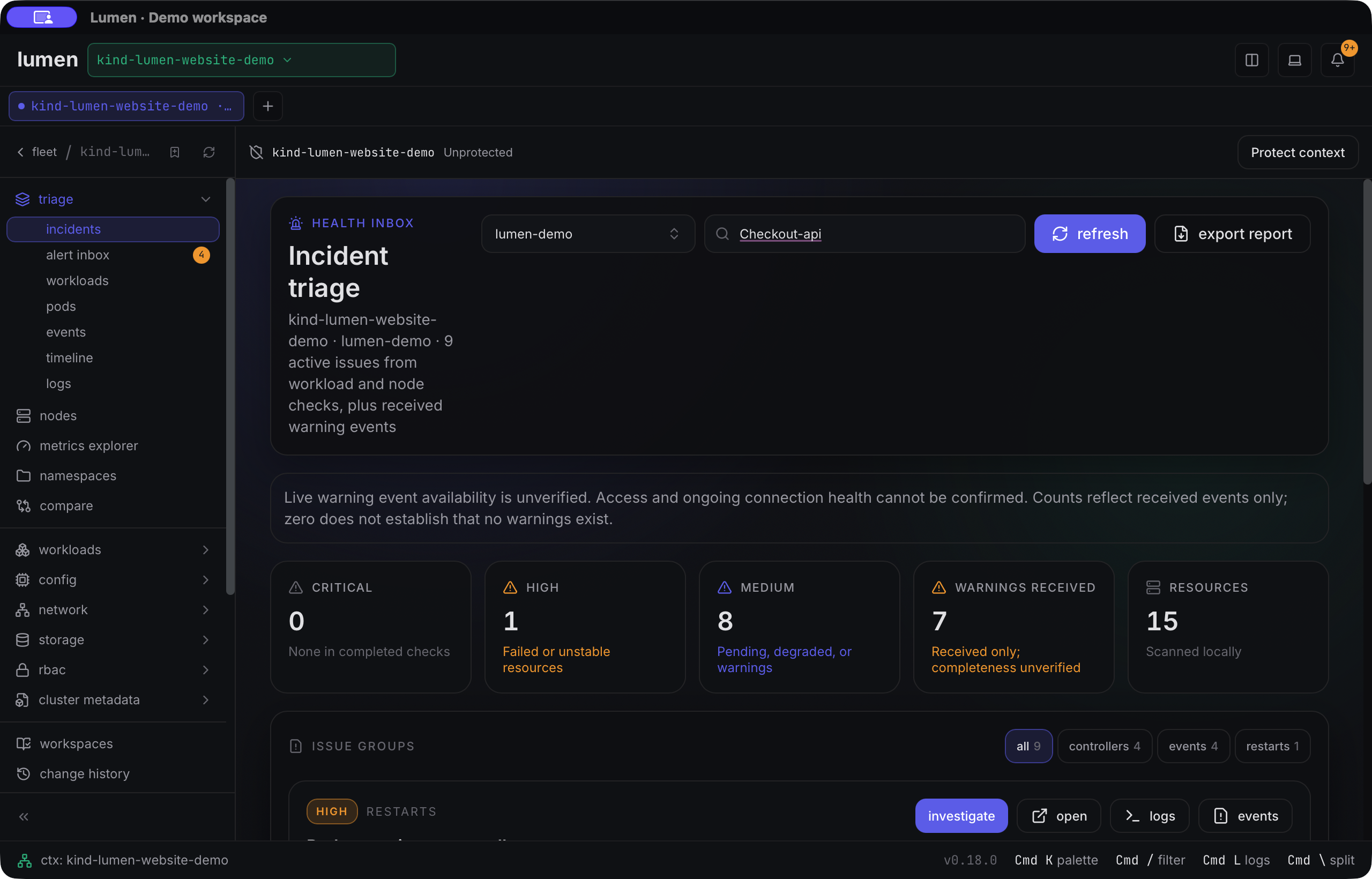
    Choose a namespace and inspect readiness and restarts. Open the incident for the affected pod.

  2. 02

    Read the evidence.

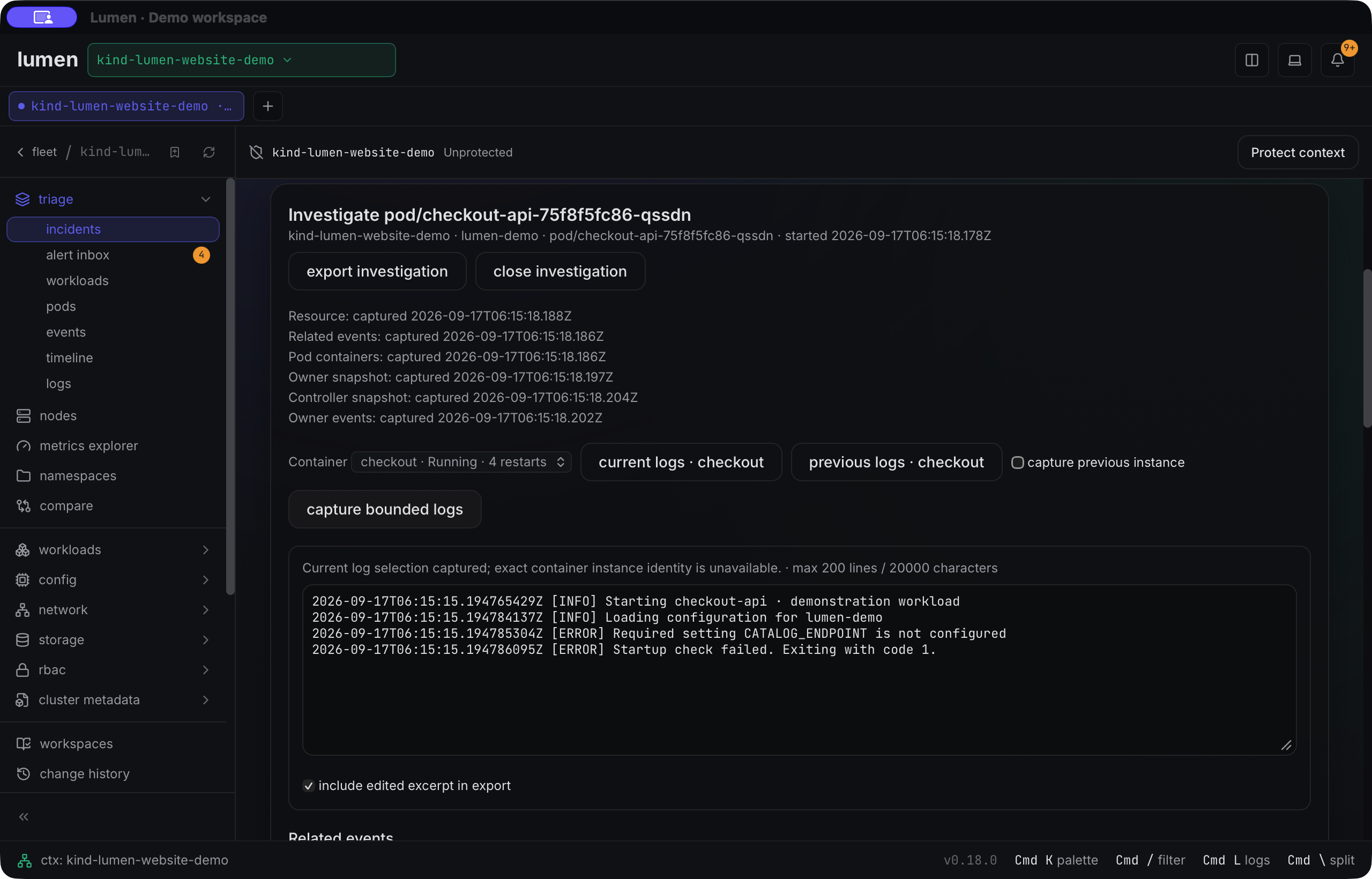
    Follow container logs and related events. In this demo, the application tells us a required setting is missing.

  3. 03

    Keep a useful handoff.

    Review a bounded excerpt before export. Captured scope and missing evidence stay explicit.

Actual Lumen investigation panel with captured checkout container logs reporting that CATALOG_ENDPOINT is not configured.
ACTUAL APPLICATION · MAIN BUILD · v0.18.0 WORKFLOWFollow the illustrated guide ↗

Watch the actual application

A few steps.
A clearer picture.

Short recordings of Lumen running against a synthetic demo cluster. Playback starts only when you choose it. Recorded from main on 17 September 2026; release availability is marked on each workflow.

Workflow available in v0.18.0

Follow an incident to its evidence

Open a restarting workload, inspect its investigation, and capture a bounded log excerpt.

Read the walkthrough
  1. Select the restarting checkout-api incident in the demo namespace.
  2. Open its investigation to inspect the affected resource and recent events.
  3. Capture bounded logs and review the application error before exporting evidence.

Silent recording; captions describe the actions. All names and workload data are synthetic.

Open the step-by-step guide

Unreleased · current main

Inspect a custom resource

Inspect an instance at its selected API version, then read its schema and controller conditions.

Read the walkthrough
  1. Start with the demo Delivery definition, its v1 API version, and the lumen-demo namespace selected.
  2. Select a synthetic delivery to inspect its YAML and controller conditions.
  3. Inspect the published schema. Creation and edits require server validation and explicit confirmation.

Silent recording; captions describe the actions. All names and workload data are synthetic.

Open the step-by-step guide

A clear way in

Open the docs.
Find your next step.

Start with your first cluster, follow a troubleshooting guide, or look up the screen in front of you.

Browse documentation