
Explore custom resources (unreleased)
Unreleased / main — not included in v0.18.0. Verified against source commit 211f0237bcb8f59580cade245c0f50651aa8fb22. Stable v0.18.0 provides the simpler discovery and YAML browser described in integrations.
Inspect instances
Section titled “Inspect instances”Open CRDs, choose a definition, then select a served API version and namespace. Namespaced types use the shared namespace picker; cluster-scoped types do not use a namespace. Discovery and target validation require CRD list/get access in addition to permissions for the instances themselves.
The table displays the definition’s printer columns. Enable Additional columns for nonzero-priority columns. Simple dotted JSONPath expressions are supported; complex expressions display Unsupported path, distinct from missing values. Filter by name, namespace or reported status.
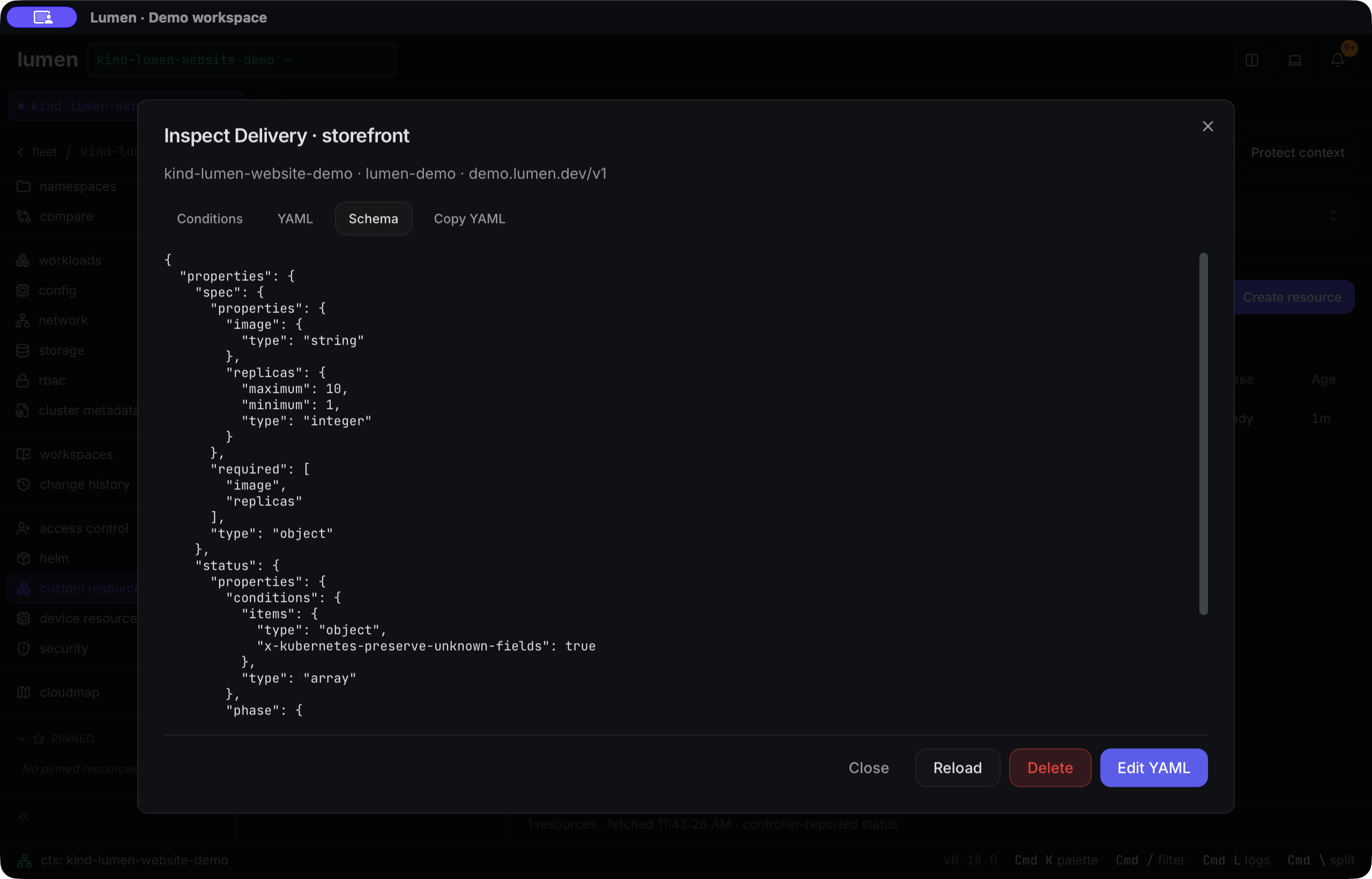
Open an instance for YAML, schema, UID, generation and controller conditions, including observed-generation freshness. Missing conditions do not mean healthy. Refresh lists or reload the inspector for a new snapshot; the explorer does not watch changes.
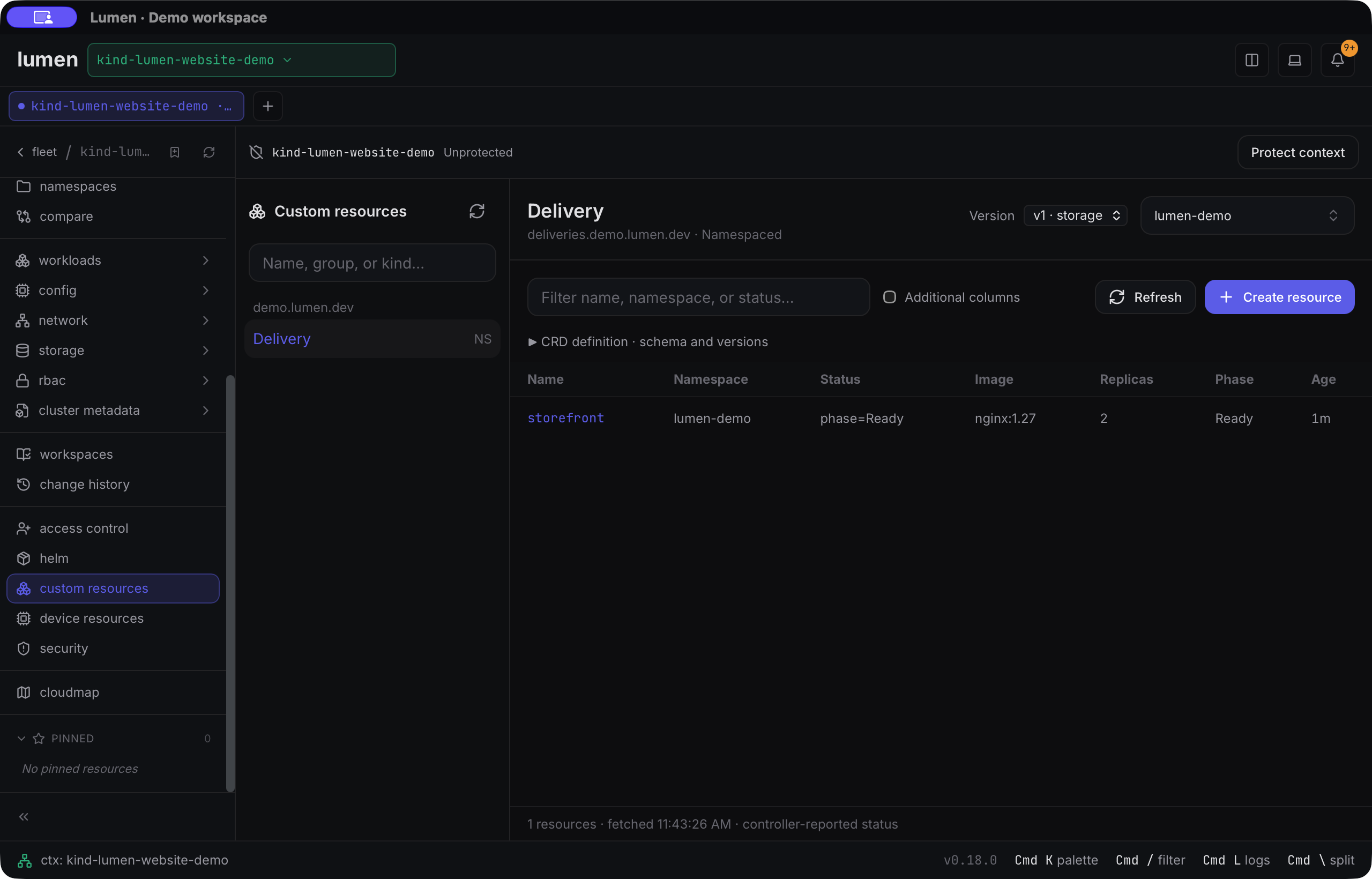
Captured from main on 17 September 2026. The Ready condition is explicitly synthetic; there is no delivery controller in this demo.
Watch the inspection walkthrough.
Create, update and delete
Section titled “Create, update and delete”- Create resource requires an explicit name and, for namespaced types, a namespace. Creation uses POST and cannot overwrite an existing name.
- Edit YAML preserves the selected identity and loaded UID/resourceVersion. Updates use server-side apply without forced field ownership; status and managedFields are excluded.
- Both require Validate on server, review of the effective result and typed confirmation. Editing invalidates validation. Locked contexts allow previews but block writes; global read-only mode disables editing.
- Delete requires permission and typed confirmation. UID and revision preconditions protect against deleting a replacement or changed object. Finalizers can delay completion after a successful request.
Reload and review after a stale-object conflict; Lumen does not force conflicts or retry stale changes. Changing context, namespace, version or definition closes the old inspector and discards its draft. This workflow manages instances, not CRD definitions.
Source: custom resources and Helm repositories, src/routes/cluster/CrdBrowser.tsx, and src-tauri/src/k8s/crd.rs at the pinned main commit.